SEED Terrain Blending
Blending scattered Biome Assets into the Terrain
Overview
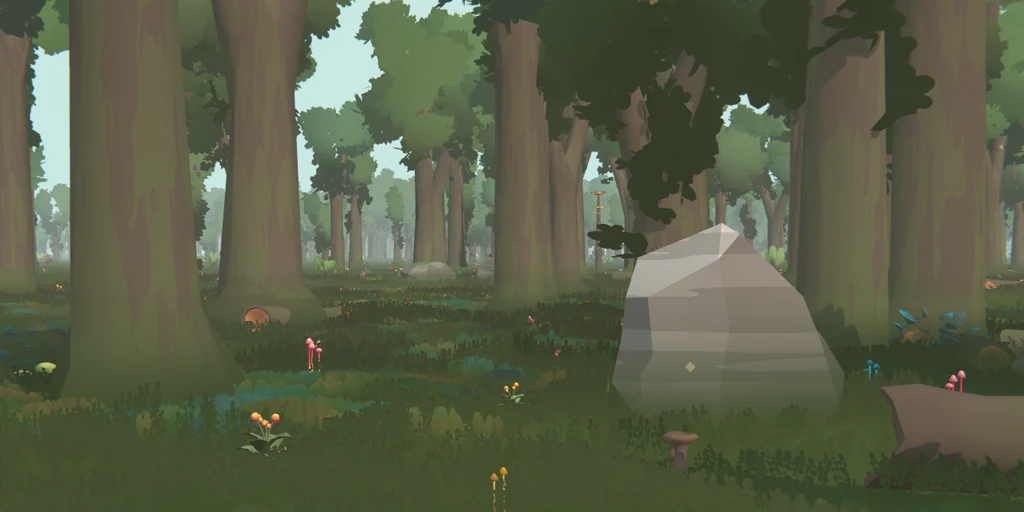
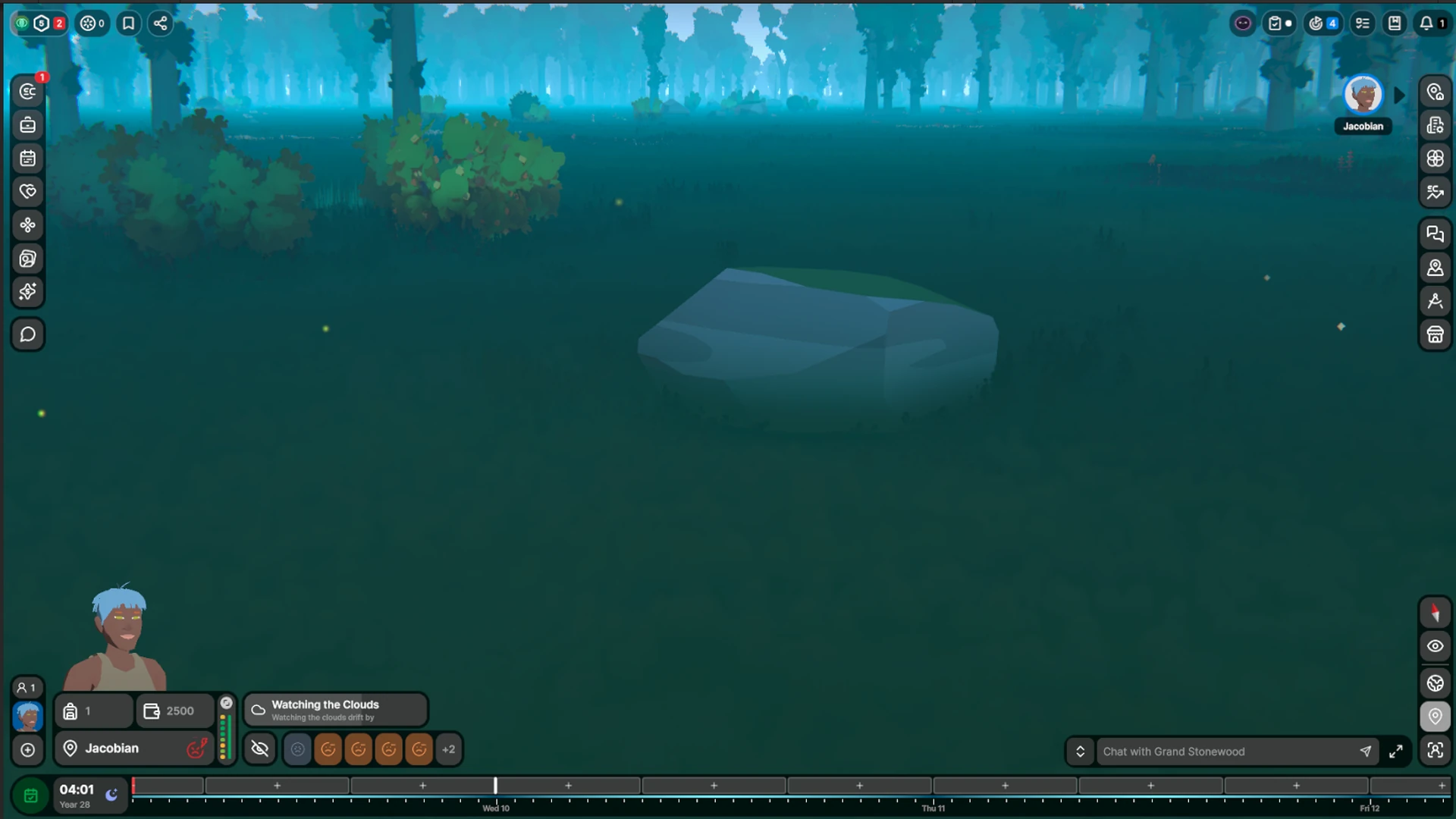
SEED plays in a highly forested biome full of little flowers, rocks and boulders as well as trees and bushes. Each is a separate mesh dropped onto the terrain, so its base leaves a hard seam and reads as placed on the world rather than part of it.
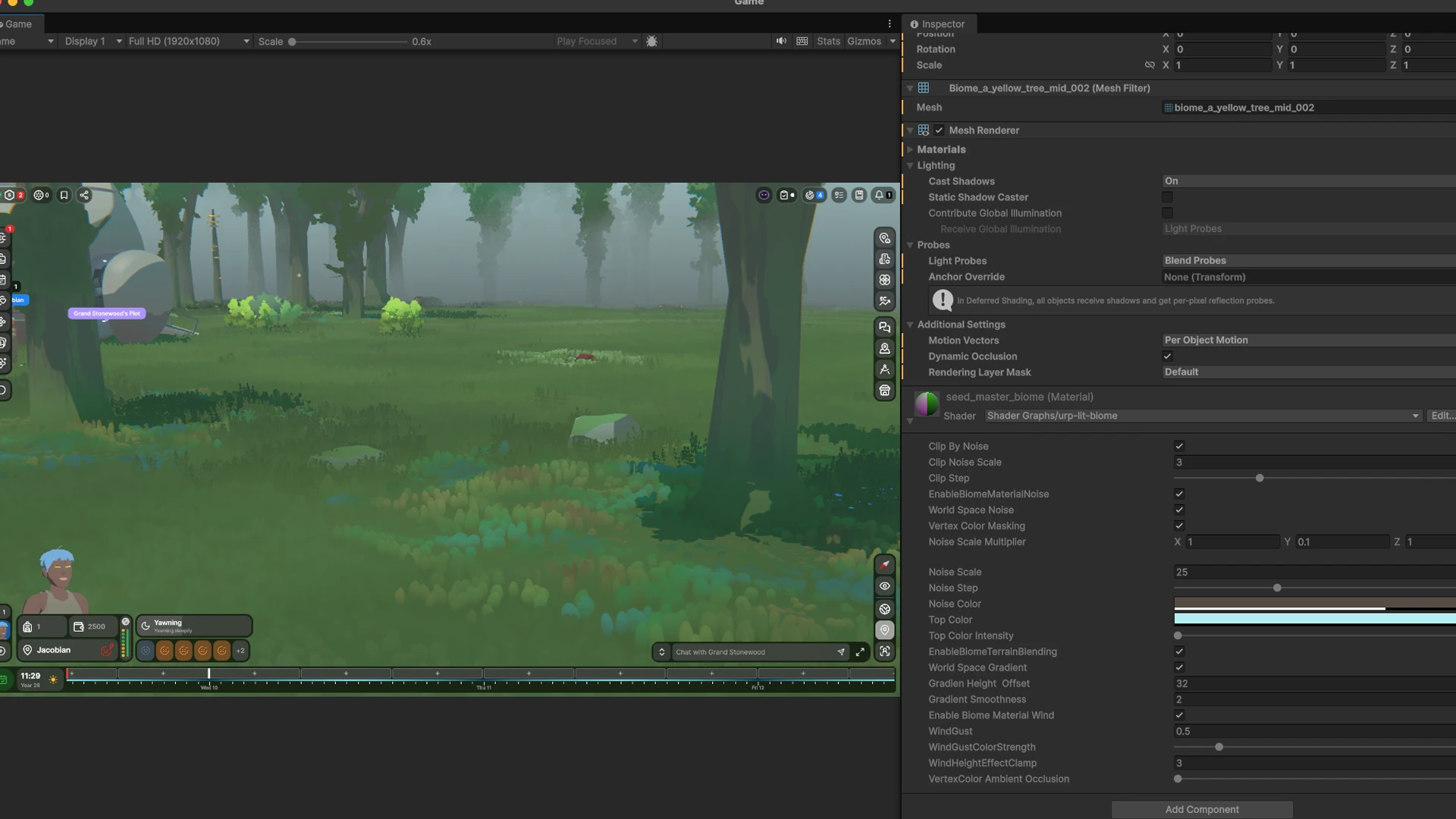
The terrain blending system fixes this in the shader: near the ground, every asset fades its own colour toward the terrain colour at that spot, so its base dissolves into the floor. It builds on our procedural terrain material.
My role: I worked together with our Graphics Engineer to concept and build the terrain blending effect we use in SEED.
Gallery
Deep Dive
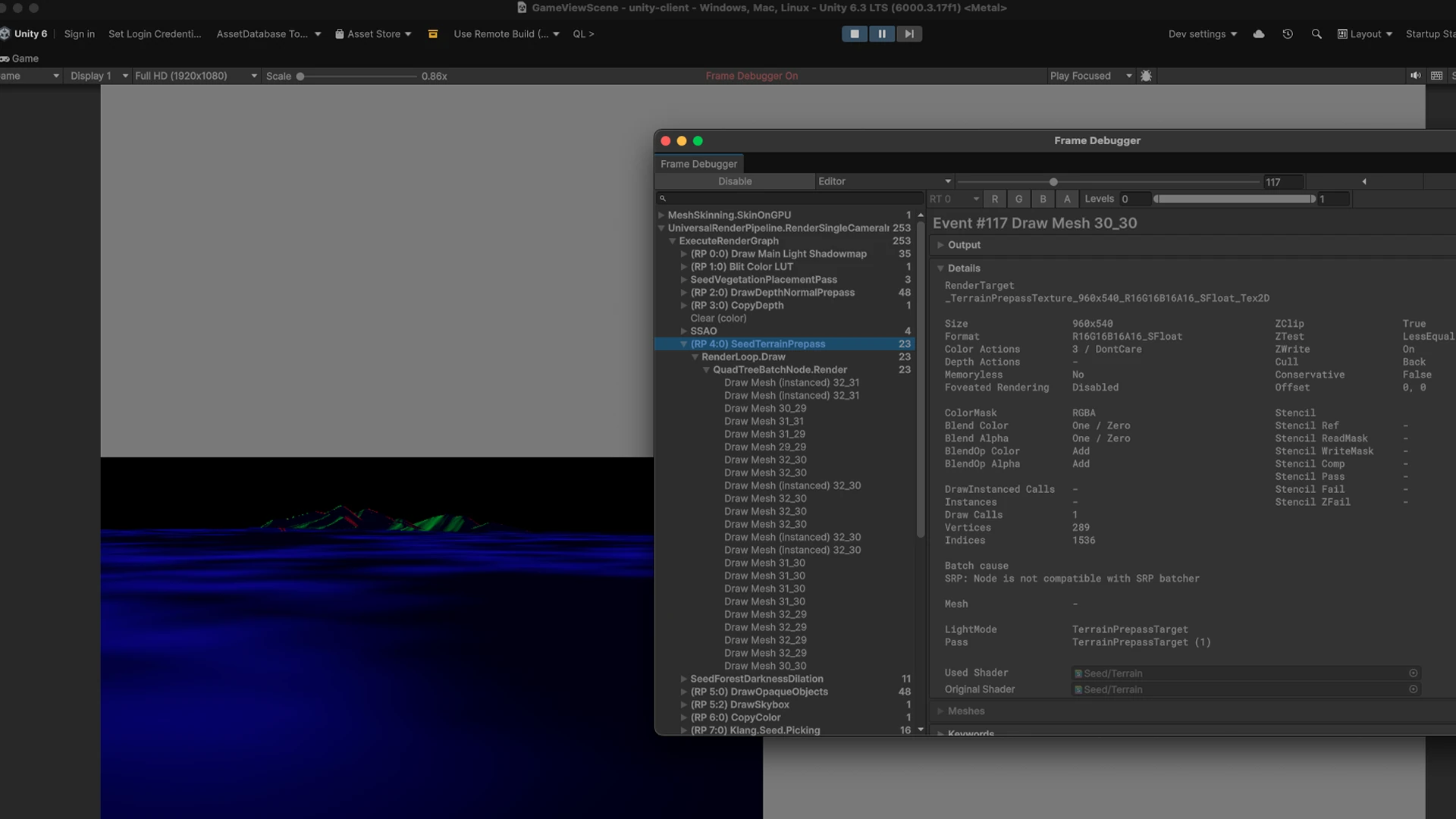
Every pixel of an asset needs to know what colour the ground behind it is. Two passes work that out and share the result through a screen-space texture.
Biome Asset Shader
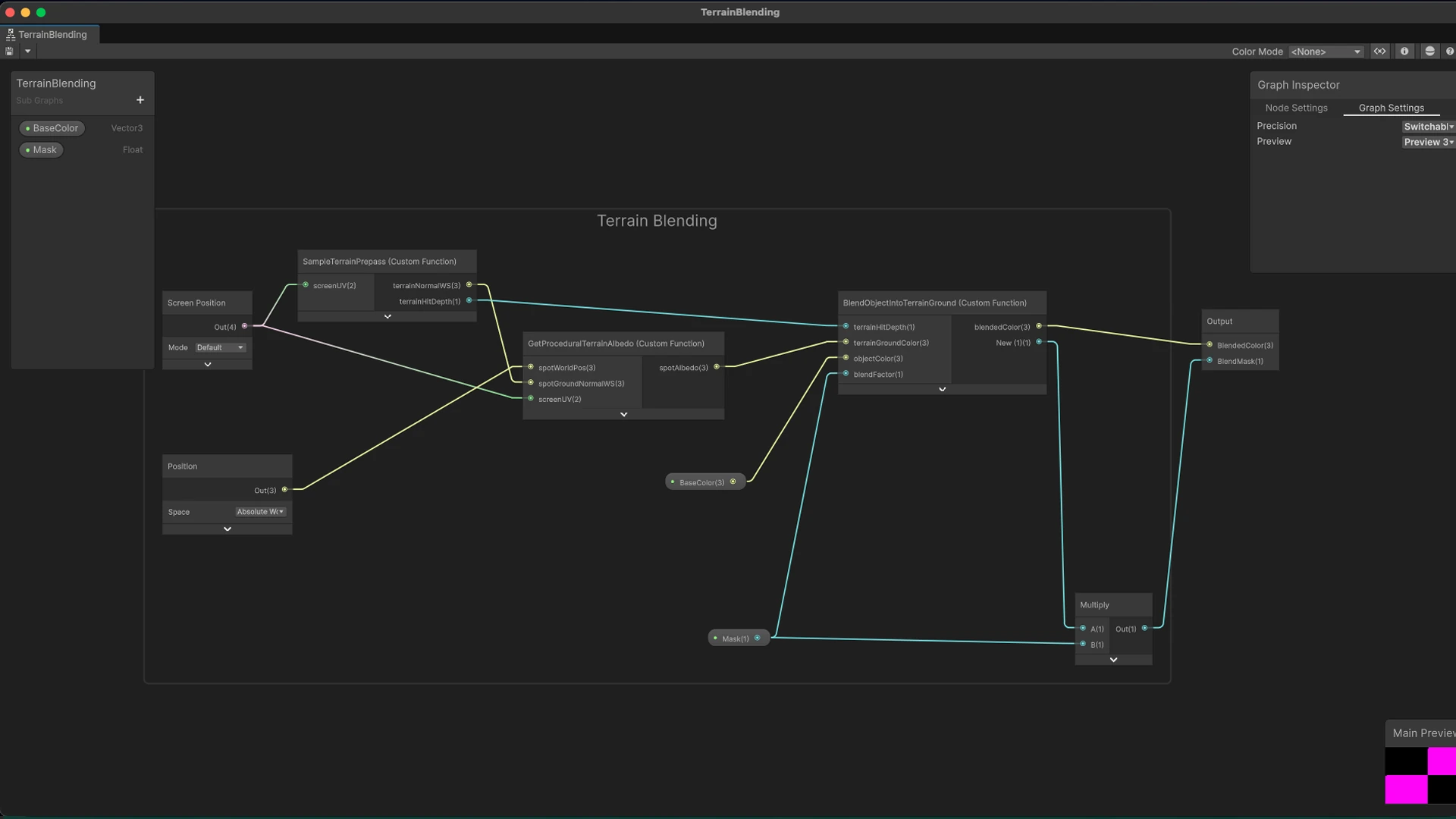
The asset samples the prepass texture at its own screen UV, then three functions run:
SampleTerrainPrepassunpacks it. Only the normal’s X and Z are stored; Y is recovered with the Pythagorean identity (safe because the terrain has no overhangs).GetProceduralTerrainAlbedogets the ground colour at the object’s position from the procedural material.BlendObjectIntoTerrainGroundlerps the object colour toward that ground colour. Where there is no terrain behind the pixel (terrainHitDepth == 0) the blend is skipped, so assets against the sky stay untouched.
// Normal Y is recovered via the Pythagorean identity. Safe because terrain has no
// overhangs (worldNormal.y is always ≥ 0).
void SampleTerrainPrepass_float(float2 screenUV, out float3 terrainNormalWS, out float terrainHitDepth) {
    #if SHADERGRAPH_PREVIEW
    terrainNormalWS = float3(0, 1, 0);
    terrainHitDepth = 0;
    #else
    float4 sample = SAMPLE_TEXTURE2D(_TerrainPrepassTexture, sampler_TerrainPrepassTexture, screenUV);
    float ny = sqrt(saturate(1.0 - sample.x * sample.x - sample.y * sample.y));
    terrainNormalWS = float3(sample.x, ny, sample.y);
    terrainHitDepth = sample.w;
    #endif
}

// gets the procedural terrain color at a point in the world; The actual implementation of the terrain coloring is a different
// subject. It is retrieved via procedural rules based on slope and height.
void GetProceduralTerrainAlbedo_float(float3 spotWorldPos, float3 spotGroundNormalWS, float2 screenUV, out float3 spotAlbedo) {
    #if SHADERGRAPH_PREVIEW
    spotAlbedo = float3(0, 1, 0);
    #else
    float3 baseAlbedo = TerrainColorFromHeight(spotWorldPos, spotWorldPos, normalize(spotGroundNormalWS));
    float amount = SAMPLE_TEXTURE2D(_ForestDarknessAmountTexture, sampler_ForestDarknessAmountTexture, screenUV).z;
    spotAlbedo = ApplyForestDarkness(baseAlbedo, amount);
    #endif
}

// Lerps objectColor toward terrainGroundColor by blendFactor, but skips the blend
// where the prepass has no terrain hit (terrainHitDepth == 0, cleared default).
// appliedBlend reports what was actually used, for downstream masking.
void BlendObjectIntoTerrainGround_float(
    float  terrainHitDepth,
    float3 terrainGroundColor,
    float3 objectColor,
    float  blendFactor,
    out float3 blendedColor,
    out float  appliedBlend)
{
    #if SHADERGRAPH_PREVIEW
    blendedColor = lerp(objectColor, terrainGroundColor, 0.25);
    appliedBlend = 1;
    #else
    appliedBlend = terrainHitDepth > 0.0001 ? blendFactor : 0;
    blendedColor = lerp(objectColor, terrainGroundColor, appliedBlend);
    #endif
}
Terrain Prepass
A URP ScriptableRendererFeature that draws the terrain before opaques and writes _TerrainPrepassTexture. It runs at half resolution, since a small normal error only becomes a small colour error. A jump-flood (JFA) pass then dilates the forest-darkness channel so tree-base shading does not leave a bright halo at terrain edges.
using Klang.Seed.Rendering.Passes;
using UnityEngine;
using UnityEngine.Rendering.Universal;

namespace Klang.Seed.Rendering.Features {
    [System.Serializable]
    public class SeedTerrainPreRenderFeatureSettings {
        [HideInInspector]
        public string shaderLightModeTag = "TerrainPrepassTarget";

        [HideInInspector]
        public string outputTextureName = "_TerrainPrepassTexture";

        [Tooltip("Resolution scale for the prepass texture relative to the camera target. " +
                 "Low values are forgiving: consumers feed the sampled normal into a procedural " +
                 "color function, so small normal errors translate to small color errors.")]
        [Range(0, 2)]
        public float resolutionScale = 0.5f;

        [HideInInspector]
        public RenderTextureFormat textureFormat = RenderTextureFormat.DefaultHDR;

        [Tooltip("Layer mask to identify terrain objects.")]
        public LayerMask terrainLayerMask;
    }

    public class SeedTerrainPreRenderFeature : ScriptableRendererFeature {
        [Tooltip("Settings for the Terrain Prepass.")]
        public SeedTerrainPreRenderFeatureSettings settings = new SeedTerrainPreRenderFeatureSettings();

        [Tooltip("Material using Seed/Renderer/ForestDarknessJFA. Jump-flood-dilates the " +
                 "prepass's forest darkness amount channel across the screen so tree-base " +
                 "blends near terrain silhouettes don't bleed into the clear sentinel.")]
        public Material forestDarknessJFAMaterial;

        private SeedTerrainNormalsPass terrainNormalsPass;
        private SeedForestDarknessDilationPass forestDarknessDilationPass;

        public override void Create() {
            terrainNormalsPass = new SeedTerrainNormalsPass(settings, RenderPassEvent.BeforeRenderingOpaques);

            forestDarknessDilationPass?.Dispose();
            forestDarknessDilationPass = null;
            if (forestDarknessJFAMaterial != null) {
                forestDarknessDilationPass = new SeedForestDarknessDilationPass(
                    RenderPassEvent.BeforeRenderingOpaques,
                    forestDarknessJFAMaterial,
                    settings.resolutionScale);
            }
        }

        public override void AddRenderPasses(ScriptableRenderer renderer, ref RenderingData renderingData) {
            if (renderingData.cameraData.cameraType != CameraType.Game && renderingData.cameraData.cameraType != CameraType.SceneView) {
                return;
            }

            if (string.IsNullOrEmpty(settings.shaderLightModeTag) || string.IsNullOrEmpty(settings.outputTextureName)) {
                Debug.LogWarning("Terrain PrePass Feature is missing shader tag or output texture name. Skipping the pass.");
                return;
            }

            renderer.EnqueuePass(terrainNormalsPass);
            if (forestDarknessDilationPass != null) {
                renderer.EnqueuePass(forestDarknessDilationPass);
            }
        }

        protected override void Dispose(bool disposing) {
            if (!disposing) {
                return;
            }

            terrainNormalsPass?.Dispose();
            terrainNormalsPass = null;
            forestDarknessDilationPass?.Dispose();
            forestDarknessDilationPass = null;
        }
    }
}
The fragment packs the normal (X, Z), forest darkness and depth into a single half4, which is what the biome shader unpacks above.
half4 SeedTerrainPrepassFragment(Varyings input) : SV_Target {
    #if defined(ENABLE_TERRAIN_PERPIXEL_NORMAL)
    float3 worldNormal = SeedGetTerrainNormal(_TerrainHeightmapTexture, sampler_LinearClamp, _TerrainHeightmapRecipSize, _TerrainHeightmapScale.y, input.uvMainAndLM.xy);
    #else
    float3 worldNormal = float3(0, 1, 0);
    #endif
    float rawDeviceDepth = input.clipPos.w > 0.00001 ? input.clipPos.z / input.clipPos.w : 0.0;
    float linearEyeDepth = LinearEyeDepth(rawDeviceDepth, _ZBufferParams);
    float darknessAmount = ComputeForestDarknessAmount(input.positionWS.xz);
    return half4(worldNormal.x, worldNormal.z, darknessAmount, linearEyeDepth);
}
For obvious reasons the tooling is internal, and all screenshots and code shown here belong to Klang Games GmbH. The snippets above are trimmed excerpts included to illustrate the techniques, not the full implementation.