SEED Blender Tooling
A Blender Python addon for Klang Games: shared materials, UV-encoded PBR, procedural activity slots, and asset validation.
Overview
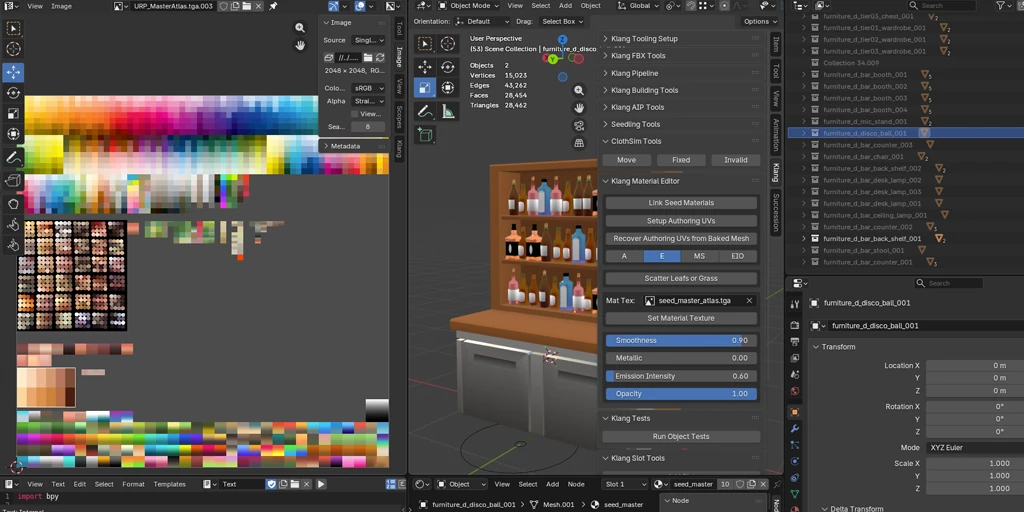
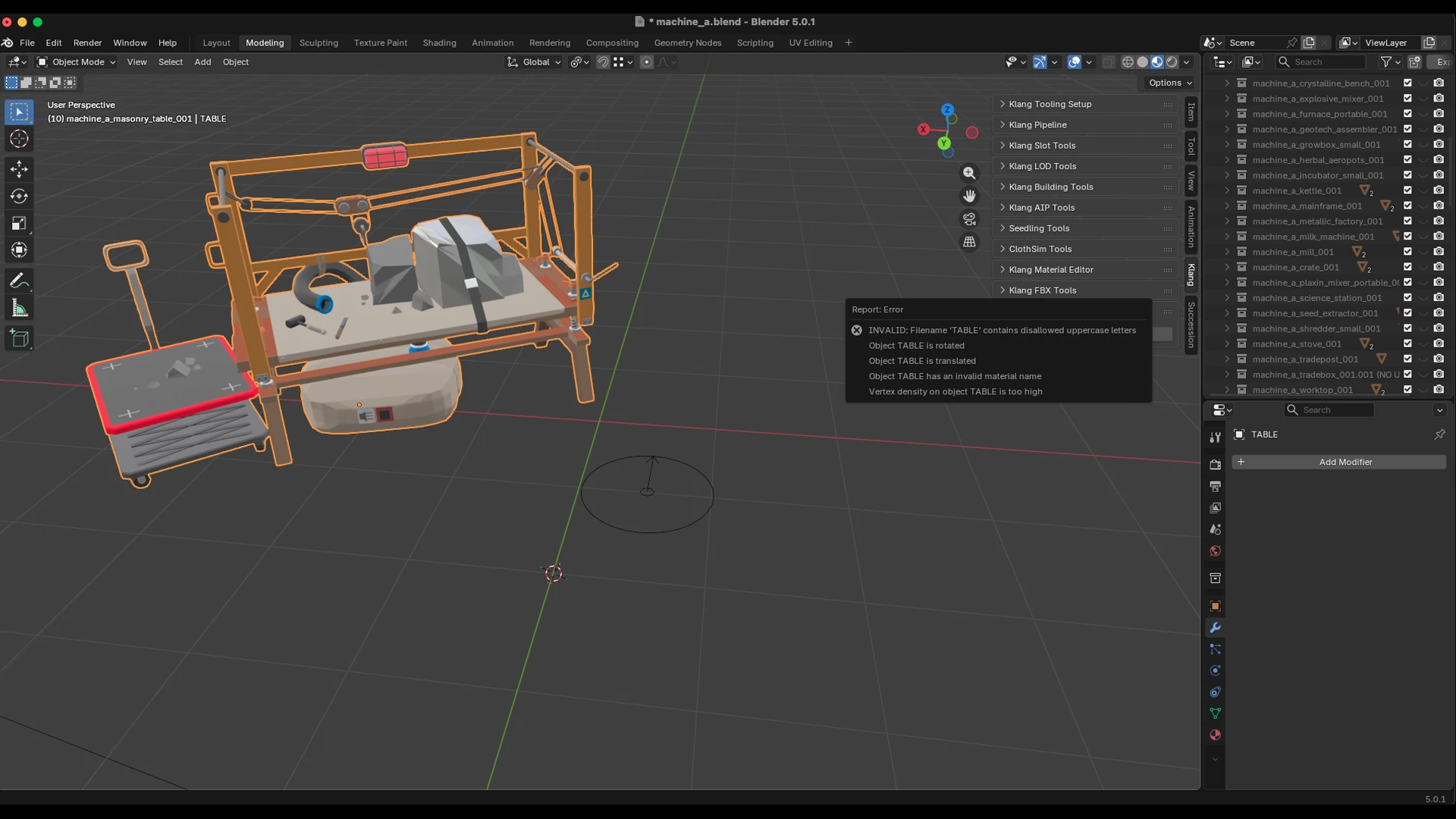
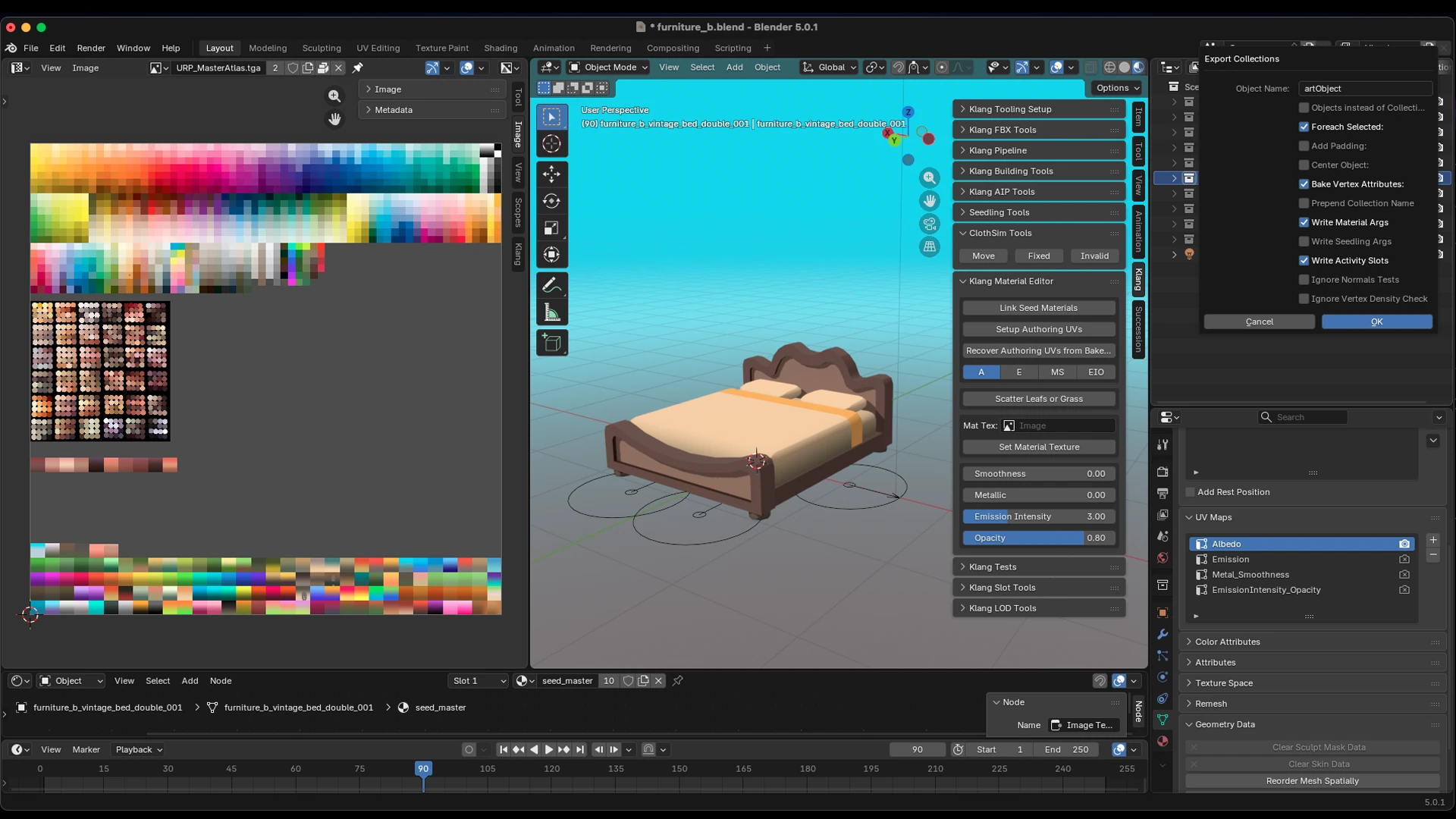
The SEED Blender Tooling is the modeling-pipeline hub for the art team at Klang Games. It installs as a Blender addon: a stack of panels under the Klang tab in the 3D viewport, that streamlines the whole journey of an asset from a raw mesh to something the game can consume. Material management, custom per-object data, procedural gameplay slots, asset unit tests, LOD analysis, and one-click publishing to the pipeline all live behind the same panel. The addon keeps itself current by pulling from git, so every artist runs the same version.
My role: I created the base of the tooling suite. It is a collaborative work: all Technical Artists at the company contribute to it.
Gallery
Deep Dive
Material Management
Seedling assets share a small set of master materials rather than each carrying its own. The Material Editor links those “seed” materials from one central .blend, so a change to the source propagates everywhere instead of drifting per asset:
# Link the shared master materials from the central library, then assign.
with bpy.data.libraries.load(file_path, link=True) as (data_from, data_to):
    data_to.materials = [
        name for name in data_from.materials if name in self.material_names
    ]
The more interesting half is how surface variation is authored. Instead of baking a unique texture per asset, per-object PBR attributes are written into dedicated UV layers, so Metal_Smoothness and EmissionIntensity_Opacity become channels the shader reads. Dragging a slider in the panel simply moves UVs into the layer that encodes that attribute:
def update_smoothness_metallic(self, context):
    for obj in bpy.context.selected_objects:
        # (smoothness, metallic) is stored as UV coordinates in a named layer,
        # not as pixels in a texture.
        processing.set_layer_uvs(
            obj, (self.smoothness, self.metallic), "Metal_Smoothness"
        )
Because the attributes travel through UV space into a shared master atlas, a single material can express many looks with no per-asset texture cost. The trade-off: once a mesh is baked for the game, its authoring UVs are gone. The “recover authoring UVs” step reconstructs them by reading the packed PBR layers back and color-searching the master atlas, caching the color→UV index to a sidecar so the expensive first scan only happens once per texture.
Activity Slots
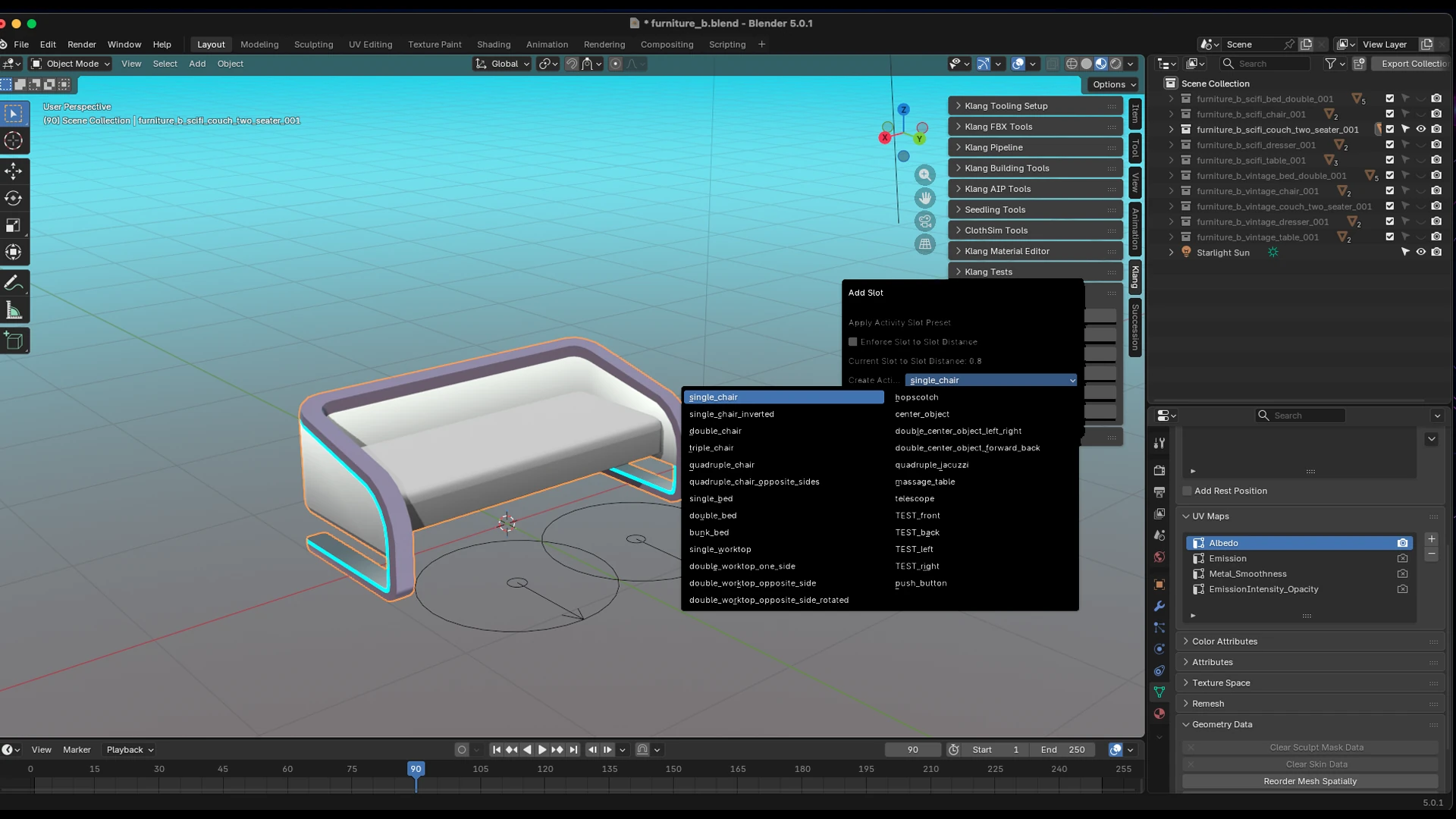
Activity slots are 3D anchor gizmos that mark where gameplay happens on an asset: where a character sits, works, or interacts. Placing them by hand across thousands of assets would be hopeless, so placement is procedural and driven by a rule sheet (activity_slot_settings.json) of presets, rules, positions and rotations. Each slot is positioned relative to the asset’s bounding box, pushed out along the closest face by the rule’s distance, then rotated to look outward, snapped to the rule sheet’s rotation step:
# Position relative to the asset's bounding box, then offset along the
# closest face normal by the rule distance.
position = Vector((
    bbox_center.x + rel_pos.x * dimensions.x / 2,
    bbox_center.y + rel_pos.y * dimensions.y / 2,
    0,
))
forward = k_utils.get_closest_axis(bbox_min, bbox_max, position)
position += forward * slot_rule_distance

# Look-at rotation, snapped to the rule sheet's rotation step.
angle = math.degrees(math.acos(clamp(forward.dot(global_forward), -1, 1)))
angle += slot_rotation_amount * slot_rotation_step + 180
rotation = k_utils.unity_to_blender_euler((0, angle, 0))
Slots are authored in Blender but consumed by the game in Unity, so every position and rotation is converted between the two coordinate spaces on the way in and out. Slots can also be pulled straight from the AIP ArtObject database or the game’s static data, so what an artist sees in Blender matches what is actually live in the game.
For obvious reasons the tooling is internal, and all screenshots and code shown here belong to Klang Games GmbH. The snippets above are trimmed excerpts included to illustrate the techniques, not the full implementation.